
techiesms UPI Payment SoundBox (No Merchant Account Needed)

  • No Merchant / Business Account Required
  • Works with FamApp UPI Wallet
  • Instant Voice Alert for Every Payment Received
  • OLED Display Shows Received Amount
  • Fully Soldered & Pre-Programmed
  • Works over WiFi
  • Fully Programmable & Open Source

Apple Shopping Event

Hurry and get discounts on all Apple devices up to 20%

Sale_coupon_15

₹2,899.00
(inc. GST)

2 People watching this product now!

Payment Methods:

Description

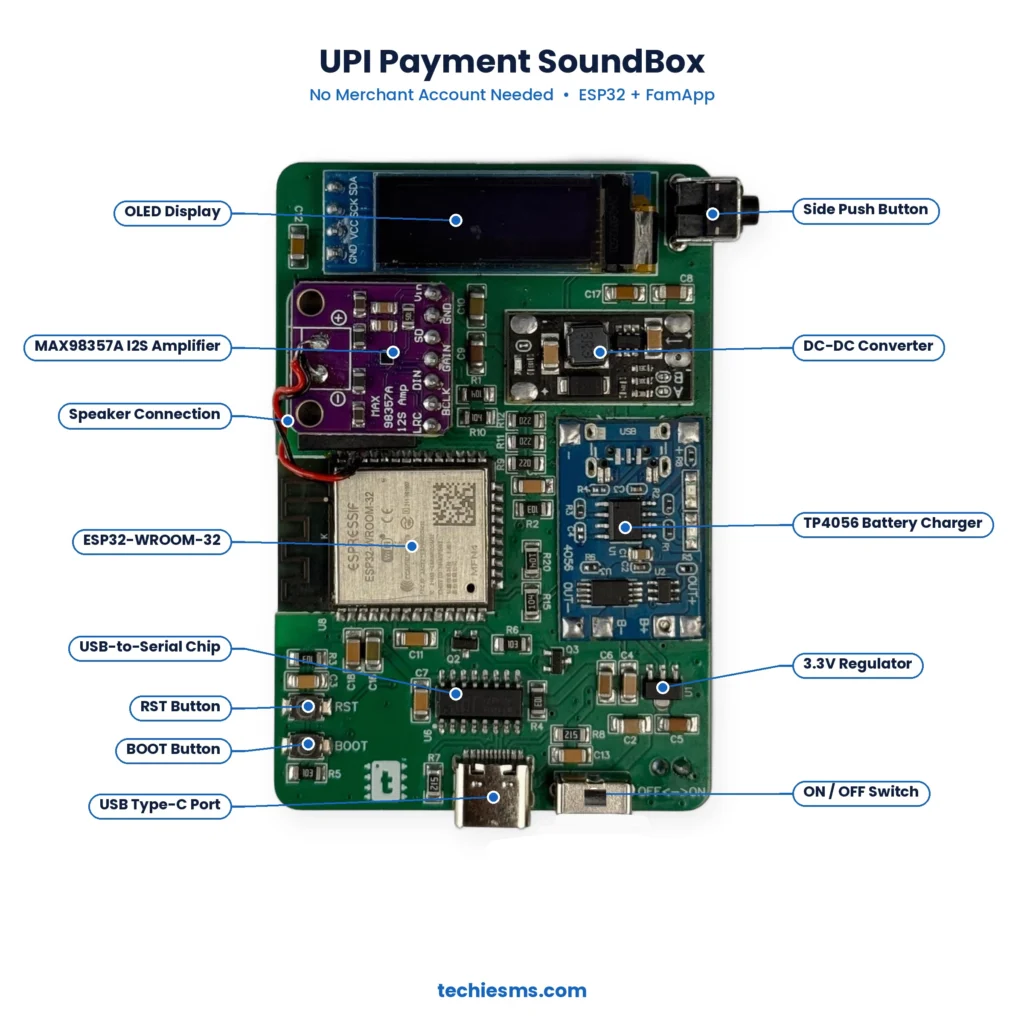
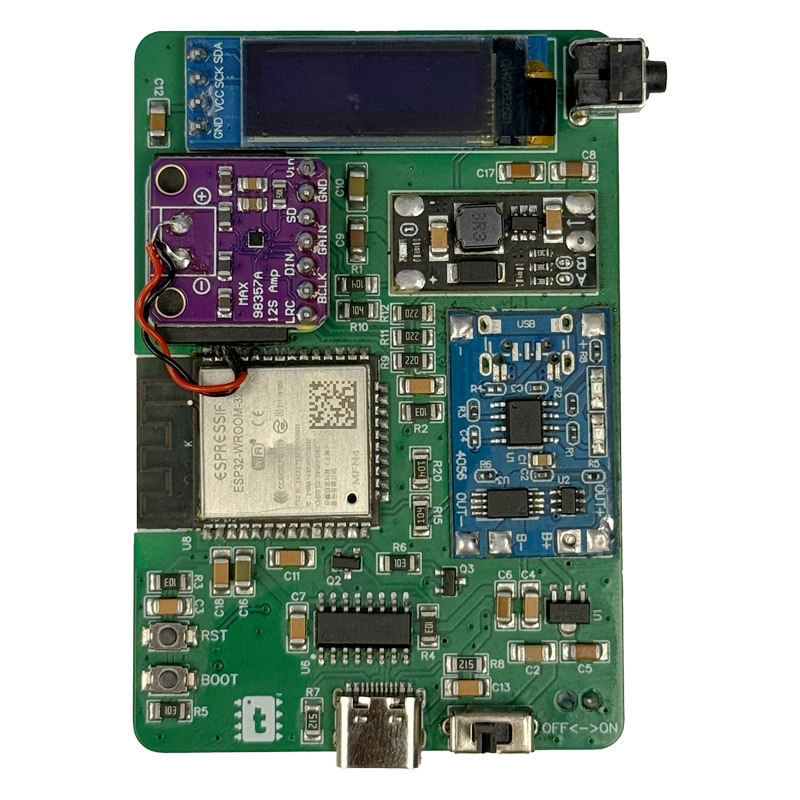
About techiesms UPI Payment SoundBox

This is our own DIY payment soundbox that announces every UPI payment you receive, without needing any merchant or business account. Our earlier soundbox projects required a business account with a payment gateway, which most students and makers don’t have. This version works with FamApp, a UPI wallet that anyone can open with basic KYC, so anyone can build, test and learn how a real payment soundbox works.

How It Works

  1. The customer pays to your FamApp UPI ID or QR code from any UPI app.
  2. FamApp sends a payment alert email to your linked Gmail account.
  3. The ESP32 reads the payment email over WiFi.
  4. The SoundBox announces the received amount and shows it on the OLED display.

Features

  • No merchant, business or payment gateway account needed
  • Instant audio announcement of the received amount
  • OLED display shows the last payment received
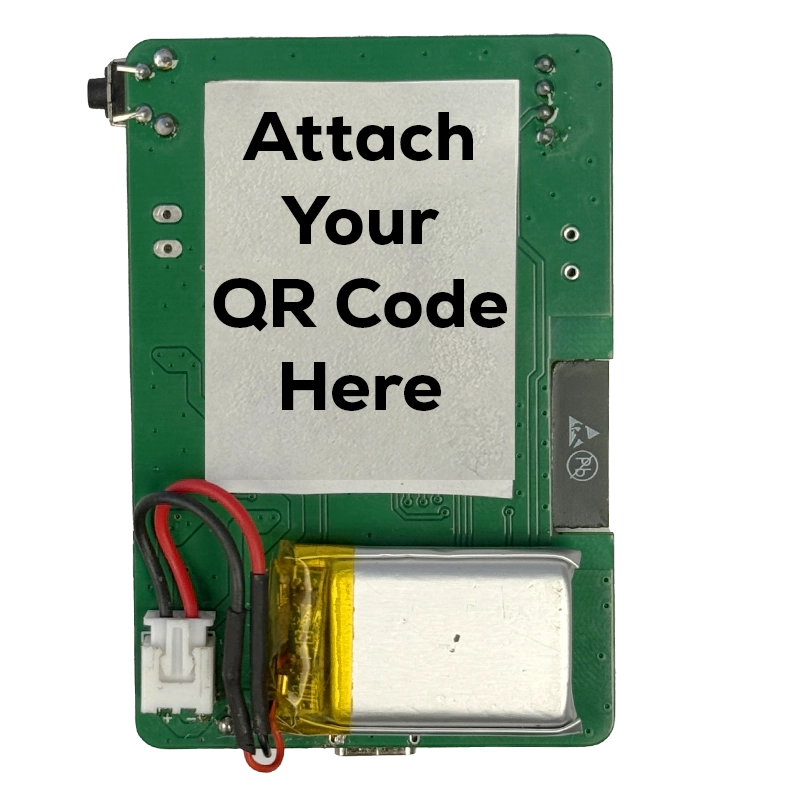
  • Compact custom PCB with all components soldered
  • USB Type-C powered with ON/OFF switch
  • Comes pre-programmed, ready to configure
  • Open-source code, so you can modify it as you like

Hardware Used

  • ESP32 Module
  • Audio Amplifier Module (MAX98357A)
  • Speaker
  • OLED Display 0.91in
  • Custom techiesms PCB
  • Misc. Components

Project Video


Special Note

This project comes completely soldered and pre-programmed, but you still need to complete the following setup to make it work:

  • Create a FamApp account and complete KYC (Aadhaar via DigiLocker, PAN verification and video KYC)
  • Link and verify your Gmail account in FamApp
  • Turn ON Email Alerts in FamApp
  • Configure the SoundBox with your WiFi and Gmail details

Since this SoundBox works on payment alert emails, any delay in receiving the email will delay the announcement. This is a DIY project made for learning and experimenting purposes, not a commercial product. Its main purpose is to educate people about how a payment soundbox actually works.

Related Products

Description

About techiesms UPI Payment SoundBox

This is our own DIY payment soundbox that announces every UPI payment you receive, without needing any merchant or business account. Our earlier soundbox projects required a business account with a payment gateway, which most students and makers don’t have. This version works with FamApp, a UPI wallet that anyone can open with basic KYC, so anyone can build, test and learn how a real payment soundbox works.

How It Works

  1. The customer pays to your FamApp UPI ID or QR code from any UPI app.
  2. FamApp sends a payment alert email to your linked Gmail account.
  3. The ESP32 reads the payment email over WiFi.
  4. The SoundBox announces the received amount and shows it on the OLED display.

Features

  • No merchant, business or payment gateway account needed
  • Instant audio announcement of the received amount
  • OLED display shows the last payment received
  • Compact custom PCB with all components soldered
  • USB Type-C powered with ON/OFF switch
  • Comes pre-programmed, ready to configure
  • Open-source code, so you can modify it as you like

Hardware Used

  • ESP32 Module
  • Audio Amplifier Module (MAX98357A)
  • Speaker
  • OLED Display 0.91in
  • Custom techiesms PCB
  • Misc. Components

Project Video


Special Note

This project comes completely soldered and pre-programmed, but you still need to complete the following setup to make it work:

  • Create a FamApp account and complete KYC (Aadhaar via DigiLocker, PAN verification and video KYC)
  • Link and verify your Gmail account in FamApp
  • Turn ON Email Alerts in FamApp
  • Configure the SoundBox with your WiFi and Gmail details

Since this SoundBox works on payment alert emails, any delay in receiving the email will delay the announcement. This is a DIY project made for learning and experimenting purposes, not a commercial product. Its main purpose is to educate people about how a payment soundbox actually works.

Related Products

Specification

Overview

Dimensions15 × 15 × 5 cm

Processor

Dimensions15 × 15 × 5 cm

Display

Dimensions15 × 15 × 5 cm

RAM

Dimensions15 × 15 × 5 cm

Storage

Dimensions15 × 15 × 5 cm

Video Card

Dimensions15 × 15 × 5 cm

Connectivity

Dimensions15 × 15 × 5 cm

Features

Dimensions15 × 15 × 5 cm

Battery

Dimensions15 × 15 × 5 cm

General

Dimensions15 × 15 × 5 cm

Customer Reviews

0 reviews
0
0
0
0
0

There are no reviews yet.

Be the first to review “techiesms UPI Payment SoundBox (No Merchant Account Needed)”