


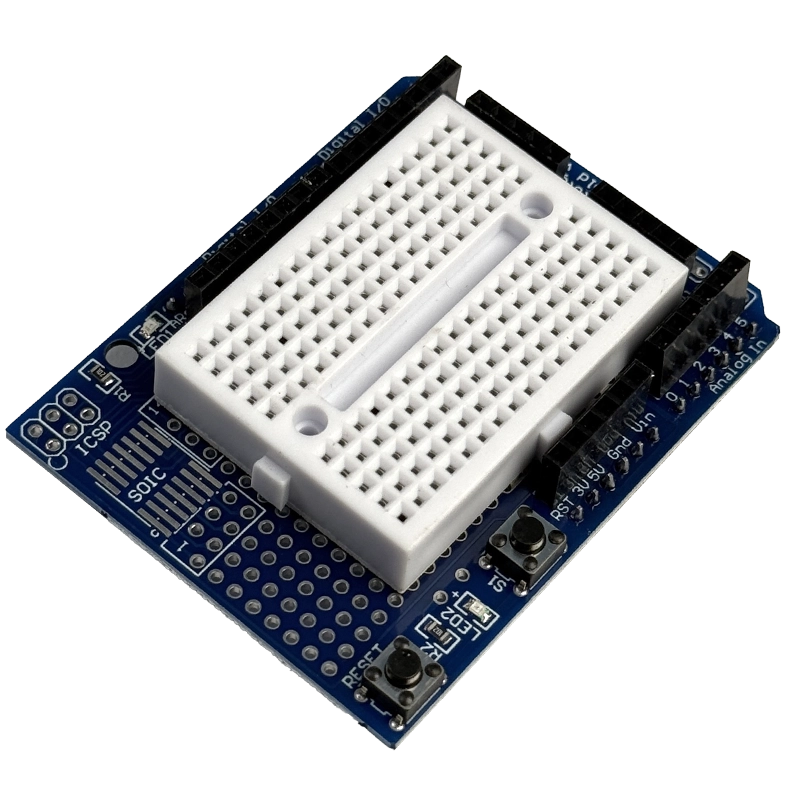
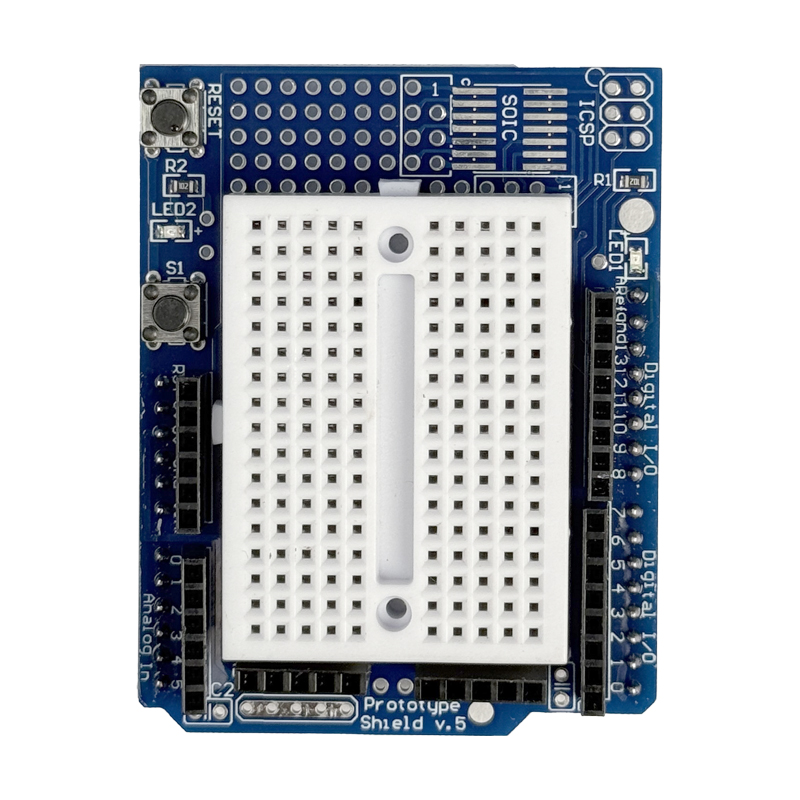
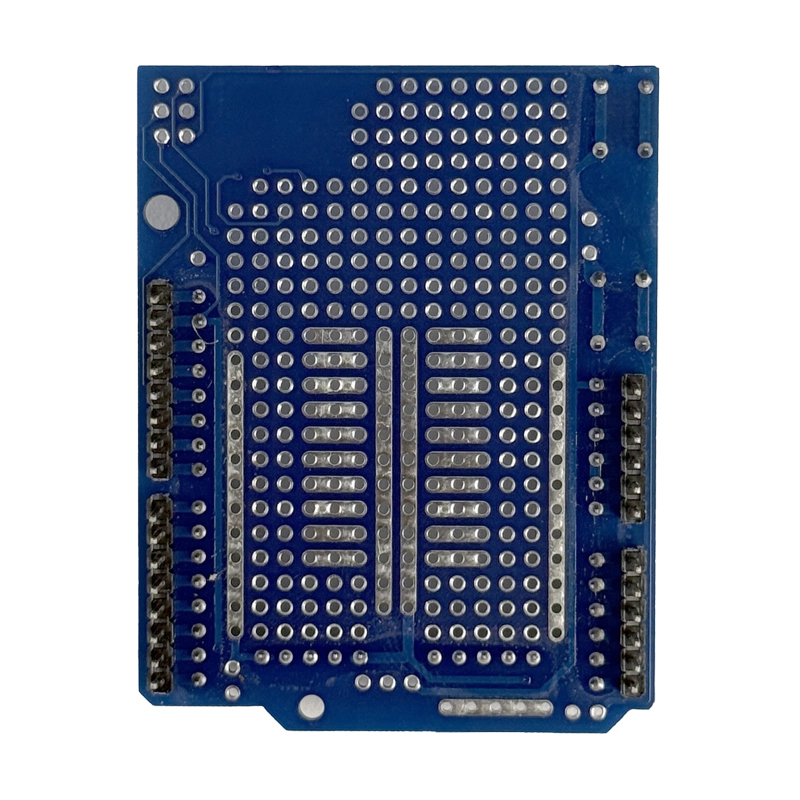


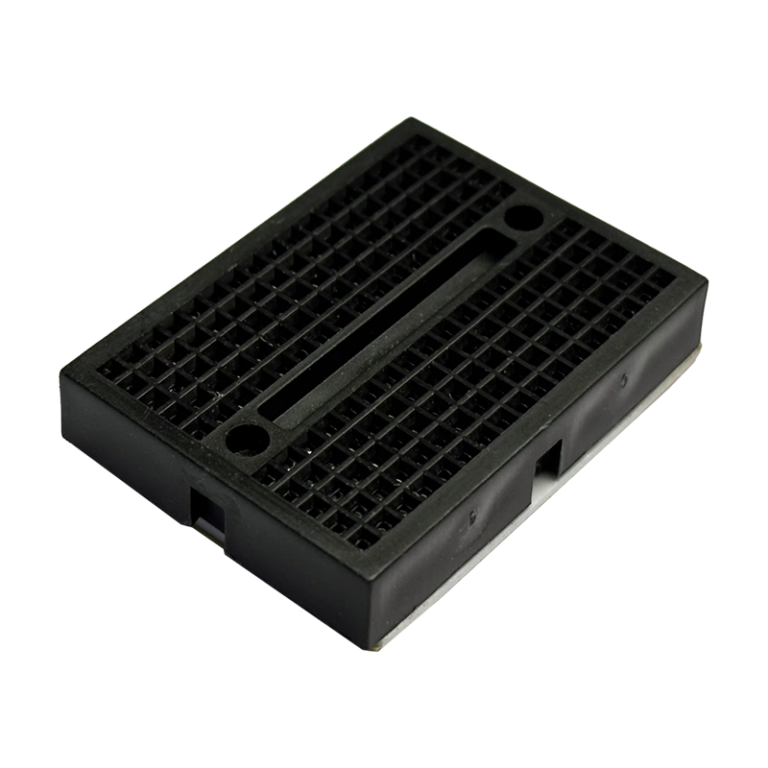
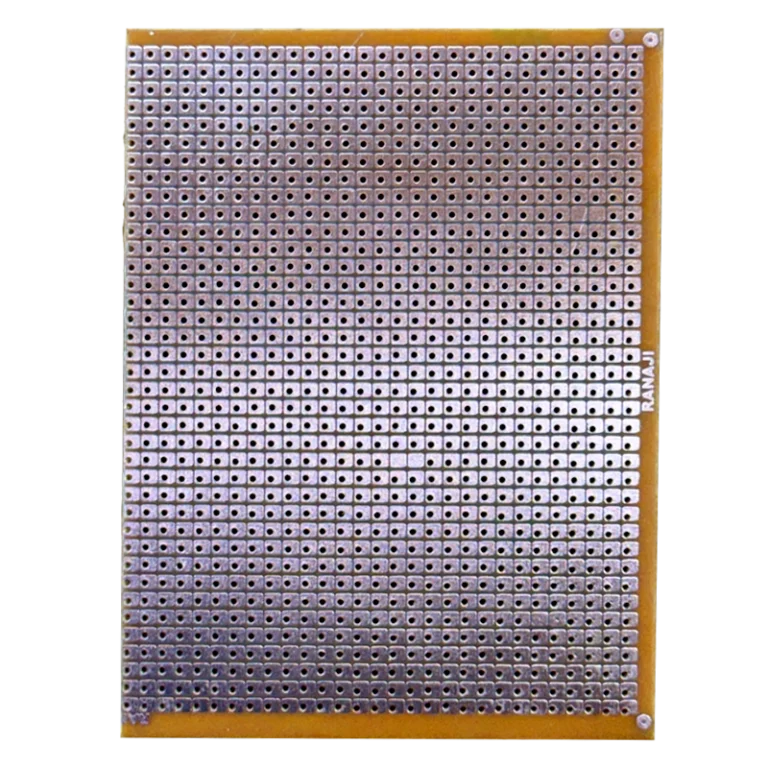
Arduino Proto Shield boards turn a tangle of jumper wires into a neat, reusable prototype that sits right on top of your UNO. This version pairs a solderable prototyping PCB with an SYB-170 mini breadboard, so you can test ideas without solder today and make them permanent tomorrow.
Technical Specifications
Here is everything this Arduino Proto Shield brings to your build:
| Parameter | Value |
|---|---|
| Compatible Boards | Arduino UNO R3, Leonardo and UNO-footprint boards |
| Prototyping Area | 0.1″ (2.54 mm) pitch plated through-hole grid |
| SMD Footprint | SOIC up to 14 pins |
| Buttons | 1 x Reset, 1 x general-purpose (pulls to GND) |
| LEDs | 2 x general-purpose with resistors (active high) |
| Power Buses | 5V and GND solder rails plus 5V/GND female headers |
| Optional Footprints | ICSP header, 2 x bypass capacitors, serial module socket |
| Pin Access | All UNO digital, analog and power pins |
| Mini Breadboard | SYB-170, 170 tie points, self-adhesive back |
| Shield Size | Approx. 69 x 53 mm |
| Breadboard Size | Approx. 47 x 35 x 9 mm |
| Weight | Approx. 30 g |
| Operating Temperature | Not specified (passive PCB) |
What Makes It Stand Out
Flexibility is where this Arduino Proto Shield wins. The SYB-170 breadboard ships separately with an adhesive back, so you choose between quick plug-and-play experiments or a fully free soldering grid. Every UNO pin is broken out on top, and dedicated 5V and GND rails mean you never run short of power points.
The reset button moves up to the shield, since your UNO’s own button gets covered once stacked. The extra push button and two LEDs are ready to wire to any pin with one jumper. See the prototyping shield spec sheet for the full layout, and pair the button with the Bounce2 debounce library for clean, reliable reads.
Why Makers Choose This
An Arduino Proto Shield lets one UNO handle many projects. Build a circuit, lift the shield off, plug in the next one, and return later without rewiring. Once it works, solder it down and you have a custom shield without designing a PCB.
New to shield prototyping? This ProtoShield hookup guide covers the layout, LED and button circuits and soldering tips. Get your Arduino Proto Shield at the best price in India, shipped fast from techiesms.
Important Links
🔗 Spec Sheet (PDF) — dimensions and features of this shield design
🔗 Proto Shield Reference Design — official open-source proto shield pinout and docs
🔗 ProtoShield Hookup Guide — tutorial on layout, assembly and testing
🔗 Bounce2 Library (GitHub) — debounce library for the onboard push button
Best Used For
Start your Arduino Proto Shield journey with a button-and-LED sketch to learn digital I/O, then build a temperature logger with the sensor on the breadboard. Try a 555 timer circuit on the solder grid controlled by the UNO, or a servo and potentiometer controller for robotics practicals. It also makes a solid base for college lab projects, where a soldered shield beats loose wires on demo day.
Frequently Asked Questions
Q: Does the breadboard come stuck to the shield?
No. It is supplied separately with an adhesive back, so you decide whether to mount it.
Q: Are the LEDs and button wired to fixed pins?
No. Connect them to any pin you like with a short jumper wire.
Q: Does it work with Arduino Leonardo?
Yes. The Arduino Proto Shield follows the UNO R3 header layout, so it fits Leonardo and other UNO-footprint boards.
Q: Do I need to solder anything to start?
No. Plug the Arduino Proto Shield onto your UNO and use the mini breadboard for solderless experiments right away.
Q: Can I reset my UNO with the shield on?
Yes. The reset button is brought up to the Arduino Proto Shield, so it stays reachable when stacked.
Related Products
Arduino UNO R3 Development Board
SYB-170 Mini Breadboard
Arduino Proto Shield with SYB-170 mini breadboard, top view(9 words)Proto shield mounted on Arduino UNO for prototyping in India




Reviews
Clear filtersThere are no reviews yet.