



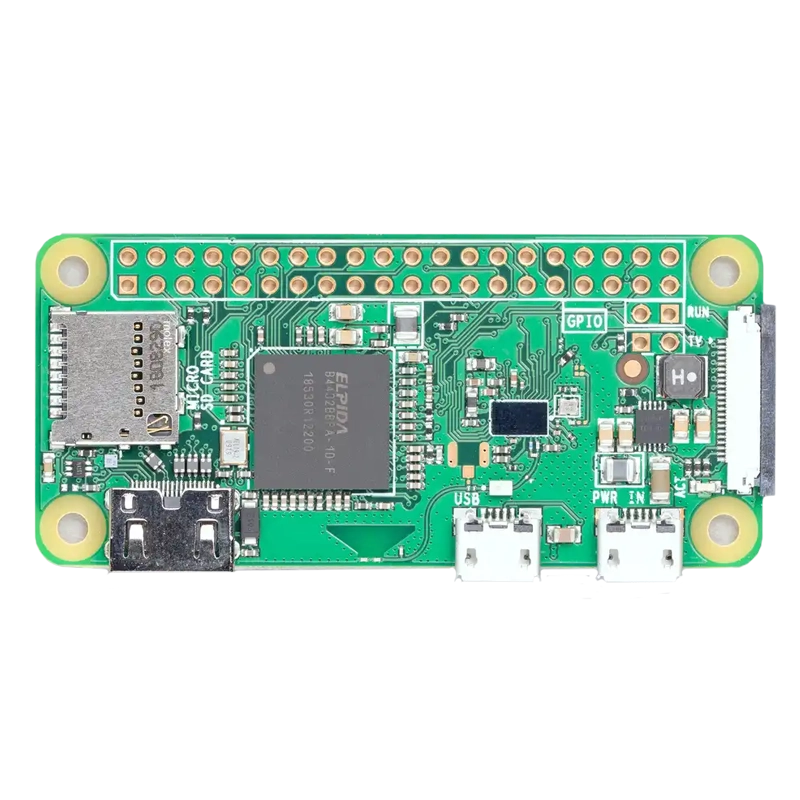
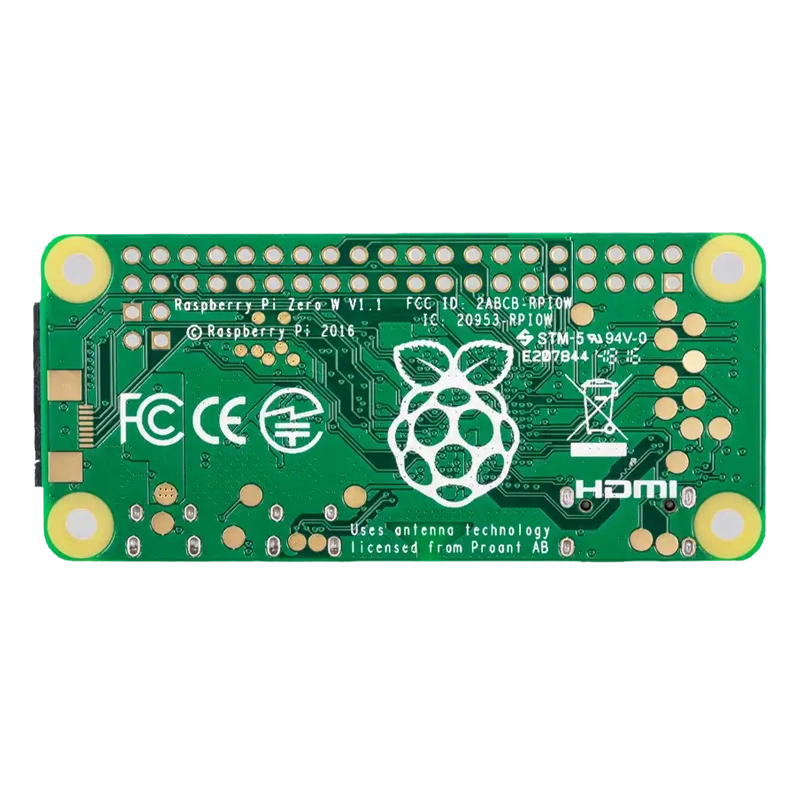
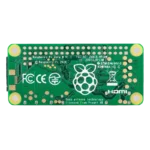


Pi Zero W is the smallest full Linux computer you can drop into a project without sacrificing wireless connectivity. Unlike the original Pi Zero, this board ships with built-in WiFi and Bluetooth right out of the box, so there’s no fumbling with USB dongles or hubs eating up your only port. For makers in India building compact IoT gadgets, home automation nodes, or headless servers, the Pi Zero W hits a sweet spot between capability and size that’s hard to beat.
Technical Specifications
Here are the verified core specifications of the Pi Zero W, cross-checked against the official Raspberry Pi datasheet and product page.
| Specification | Details |
|---|---|
| Processor | Broadcom BCM2835 SoC, 1GHz single-core ARM11 (ARMv6) |
| RAM | 512MB LPDDR2 |
| Wireless | 2.4GHz 802.11 b/g/n WiFi + Bluetooth 4.1 with BLE (Cypress CYW43438 chip) |
| Video Output | Mini HDMI port; composite video via test points |
| USB | 1x Micro USB OTG (data) + 1x Micro USB power |
| Storage | MicroSD card slot (not included) |
| GPIO | 40-pin HAT-compatible header (unpopulated) |
| Camera | CSI camera connector (Pi Zero-specific size, needs adapter cable) |
| Dimensions | 65mm x 30mm x 5mm |
| Weight | ~9 grams |
| Power Input | 5V via Micro USB |
| Operating Temperature | 0°C to 50°C (standard indoor Raspberry Pi range) |
What Makes It Stand Out
The Pi Zero W squeezes onboard WiFi and Bluetooth into a board barely bigger than a stick of gum, using the exact same wireless chip found on the Raspberry Pi 3. You still get a full Linux-capable single-core processor and 512MB RAM, enough to run Raspberry Pi OS Lite comfortably for headless scripts, sensors, and network-connected builds. For the exact mechanical footprint and pinout, refer to the official Pi Zero W mechanical drawing.
Because the Pi Zero W shares GPIO behaviour with every other Raspberry Pi, it’s fully compatible with GPIO Zero, the officially maintained Python library that makes controlling LEDs, buttons, sensors, and motors almost embarrassingly simple.
Why Makers Choose This
Indian makers pick the Pi Zero W when a project needs real computing power — file handling, image processing, running a small web server — but can’t afford the bulk or power draw of a full-size Pi. If you’re setting one up for the first time, this Getting Started with Raspberry Pi guide walks through OS installation and first boot cleanly.
Even years after launch, the Pi Zero W remains one of the most affordable ways to get genuine WiFi-enabled Linux computing onto a breadboard, and that’s exactly why it still shows up in student projects, wearables, and retro gaming builds across the country.
Important Links
🔗 Official Mechanical Drawing (PDF) — exact board dimensions and mounting hole positions
🔗 Reduced Schematics (PDF) — official wiring and pin reference
🔗 Techiesms YouTube Channel — for hands-on IoT and embedded project tutorials
🔗 GPIO Zero on GitHub — official Python library for GPIO control
🔗 Getting Started with Raspberry Pi — setup and OS installation walkthrough
Best Used For
The Pi Zero W handles headless home automation hubs beautifully, running MQTT or Home Assistant satellite nodes over WiFi without a bulky enclosure. It’s equally at home as a lightweight network utility — a Pi-hole ad blocker, a print server, or a small file share tucked behind a router. Wearable and pocket-sized projects benefit from its tiny footprint, making it a favourite for badge displays, portable sensor loggers, and camera-based time-lapse rigs once paired with the CSI connector. Robotics enthusiasts use it as a lightweight brain for line-following bots and simple rovers where WiFi telemetry matters more than raw compute. And for students, it remains an excellent low-cost way to learn Linux, Python, and networking fundamentals on real hardware.
Frequently Asked Questions
Q: Is the Pi Zero W good for beginners in India?
Yes. It runs the same Raspberry Pi OS as larger boards, has strong community documentation, and is one of the most budget-friendly ways to start learning Linux and Python on real hardware.
Q: Does the Pi Zero W support 5GHz WiFi?
No, the onboard chip only supports 2.4GHz 802.11 b/g/n networks, so make sure your router broadcasts a 2.4GHz band for setup.
Q: Can I use a Raspberry Pi camera module directly with the Pi Zero W?
The CSI connector is present but uses a smaller pitch than standard Pi cameras, so you’ll need a Pi Zero-specific camera adapter cable.
Q: What operating systems can run on the Pi Zero W?
Raspberry Pi OS (Lite or Desktop), DietPi, and several other lightweight ARMv6-compatible Linux distributions all run well on this board.
Q: Does it come with a pre-soldered GPIO header?
No, the standard Pi Zero W ships with an unpopulated 40-pin header, so you’ll need to solder pins if your project requires them.
Related Products
Raspberry Pi Pico W
16GB SD Card
Micro SD Card Reader Module




Reviews
Clear filtersThere are no reviews yet.