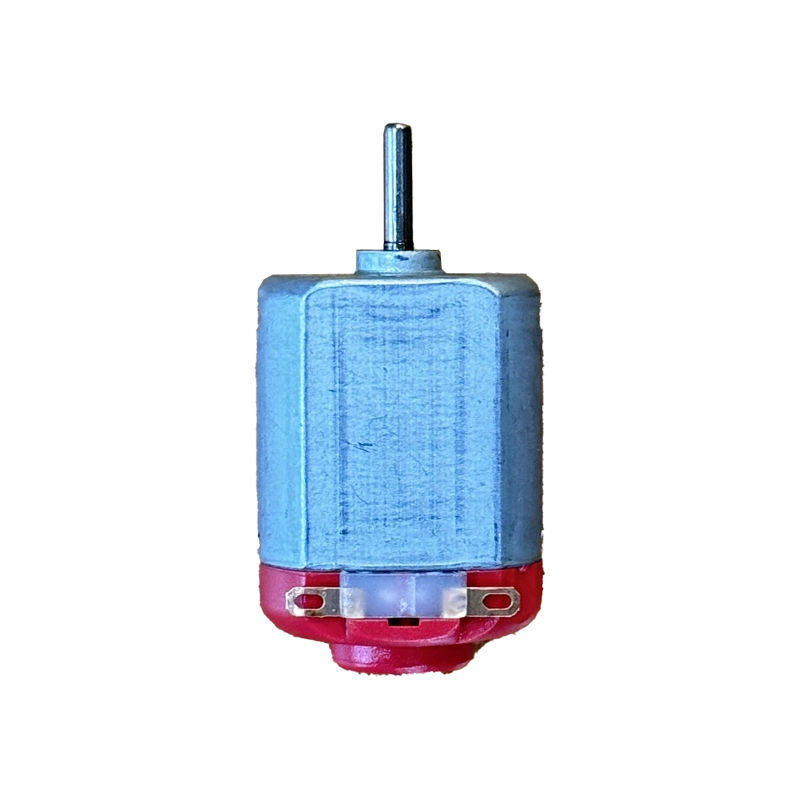
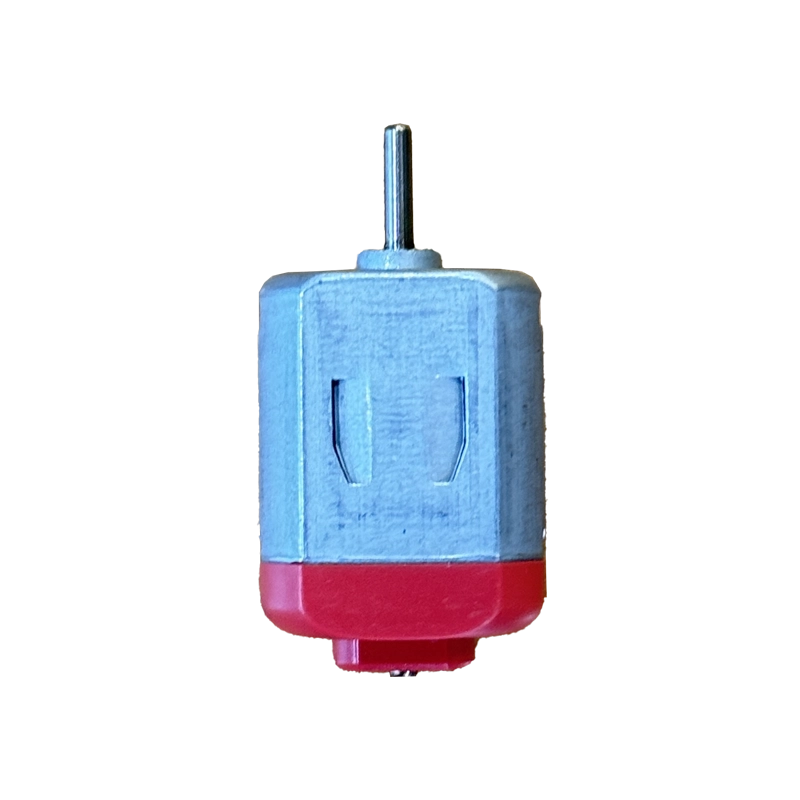

DC Toy Motor

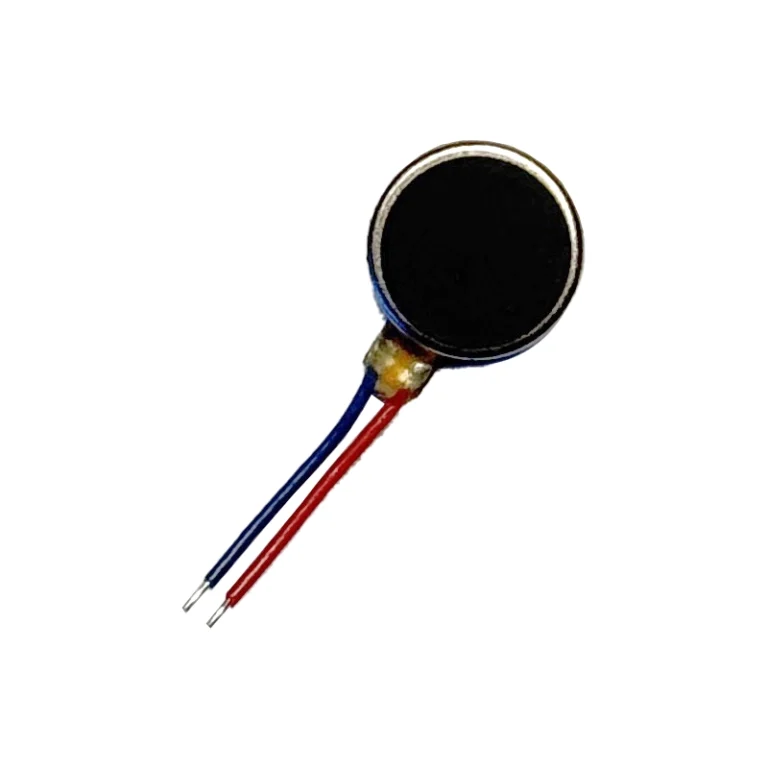
A pocket-sized DC toy motor for Arduino cars, fans, and robotics kits, built for beginners across India who want instant motion without any driver setup or complex wiring.

✅ Runs on 3–6V DC, ideal for battery or driver-powered builds
✅ High-RPM output for quick, responsive motion
✅ Simple two-terminal, reversible connection — no polarity worries
✅ Compact single-shaft design fits any small chassis or hobby project
✅ Best price in India — only at techiesms

Apple Shopping Event

Hurry and get discounts on all Apple devices up to 20%

Sale_coupon_15

10.00
(inc. GST)

17 People watching this product now!

Payment Methods:

Description

DC toy motor from Techiesms is the small, dependable motion source every beginner reaches for first. Running happily on 3 to 6V, this tiny motor spins up fast and drops straight into breadboard projects without any driver circuitry to configure. Building your first Arduino car, a spinning fan for a school model, or a floating toy boat becomes simple with a DC toy motor like this one. It is a staple in maker kits across India because it is compact, rugged, and forgiving of wiring mistakes, and Techiesms offers it at the best price for hobbyists and classrooms alike. Reverse the two leads and the shaft spins the other way — no code required.

Technical Specifications

Here is the full spec sheet for this DC toy motor, cross-checked for accuracy so you know exactly what is powering your build.

Parameter Value
Operating Voltage 3V to 6V DC
Recommended Voltage 5V
No-Load Speed 13,600 RPM
Rated Speed 11,360 RPM
No-Load Current 0.27 A
Rated Current 2.92 A
Rated Torque 29.2 g-cm
Stall Torque 180 g-cm
Output Power 3.47 W
Shaft Type Single shaft

What Makes It Stand Out

What sets this DC toy motor apart is how much output it packs into a pocket-sized body. With a no-load speed north of 13,000 RPM and rated torque that stays usable under load, it handles small robots, fans, and toy vehicles without bogging down. Since it’s a simple two-terminal motor, you can verify baseline behaviour against the generic reference datasheet and then drive it with any H-bridge or shield.

For Arduino builders who want smooth speed and direction control, the Adafruit Motor Shield library handles PWM speed ramps and direction switching in just a few lines of code.

Why Makers Choose This

Makers across India choose this DC toy motor because it removes the guesswork from a first motion project. There is no polarity to worry about on the terminals, no complex datasheet to decode, and no risk of overloading a microcontroller pin as long as you drive it through a transistor or motor driver as recommended.

If you are new to motors, the Arduino DC motor tutorial walks through wiring and code for controlling speed and direction step by step.

Important Links

🔗 Toy Motor Datasheet (PDF) — reference spec sheet for the toy motor family

🔗 Component Reference Page — pinout, wiring diagram, and general usage notes

🔗 Adafruit Motor Shield V2 Library (GitHub) — Arduino library for PWM speed and direction control

🔗 Arduino DC Motor Tutorial — step-by-step wiring, code, and speed control guide

Best Used For

This DC toy motor fits naturally into a small RC car or robotics chassis where compact size and quick spin-up matter more than raw torque. It works just as well as the drive motor in a science-fair water pump, the propeller on a toy boat, or the fan blade in a DIY air-cooling demo. Electronics students use it to demonstrate current, voltage, and RPM relationships in a physics lab, and hobbyists keep a spare DC toy motor on hand when prototyping a new mechanical idea before committing to a geared motor.

Frequently Asked Questions

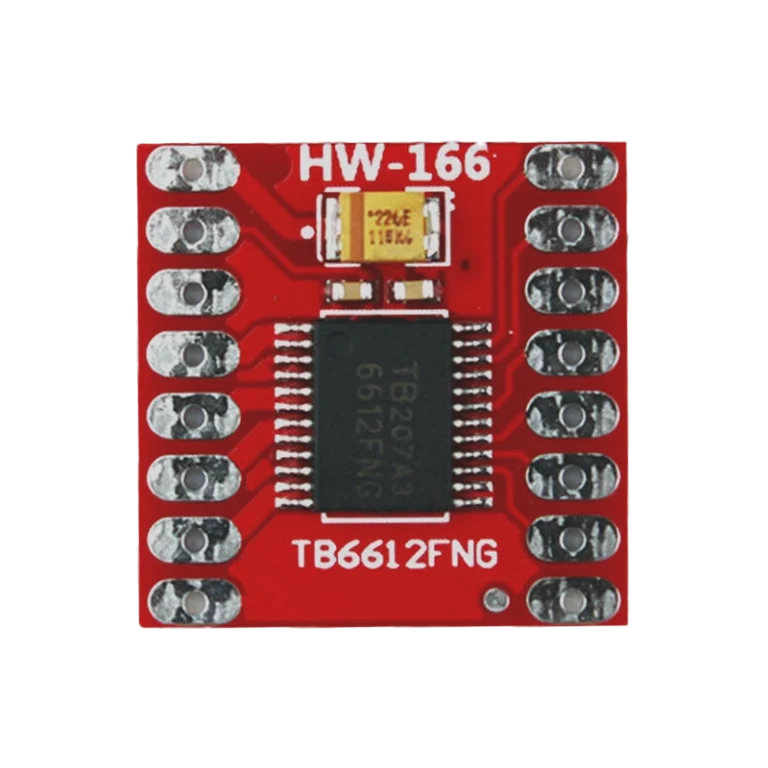
Q: Can I run this DC toy motor directly from an Arduino pin? No — always drive it through a transistor, an L293D, or a motor driver module like the L298N or TB6612FNG. Arduino pins cannot safely source the current this motor draws under load.

Q: What voltage should I use for the best performance? The motor is rated for 3 to 6V DC, with 5V giving the best balance of speed and torque for most toy and robotics builds.

Q: Can I control the speed of this DC toy motor? Yes, speed is controlled by varying the input voltage or using PWM through a motor driver — a potentiometer or a microcontroller’s PWM output both work well.

Q: Does this motor come with mounting brackets or wheels? No, this is a standalone shaft motor — you’ll need a separate bracket, wheel, or coupler for your project.

Q: Is this suitable for a beginner’s first electronics project? Absolutely — it needs no library, no complex wiring, and runs on a simple battery or driver circuit.

Related Products

L298N Motor Driver Module
TB6612FNG Dual DC Motor Driver Board
12V 100 RPM DC Geared Motor

Description

DC toy motor from Techiesms is the small, dependable motion source every beginner reaches for first. Running happily on 3 to 6V, this tiny motor spins up fast and drops straight into breadboard projects without any driver circuitry to configure. Building your first Arduino car, a spinning fan for a school model, or a floating toy boat becomes simple with a DC toy motor like this one. It is a staple in maker kits across India because it is compact, rugged, and forgiving of wiring mistakes, and Techiesms offers it at the best price for hobbyists and classrooms alike. Reverse the two leads and the shaft spins the other way — no code required.

Technical Specifications

Here is the full spec sheet for this DC toy motor, cross-checked for accuracy so you know exactly what is powering your build.

Parameter Value
Operating Voltage 3V to 6V DC
Recommended Voltage 5V
No-Load Speed 13,600 RPM
Rated Speed 11,360 RPM
No-Load Current 0.27 A
Rated Current 2.92 A
Rated Torque 29.2 g-cm
Stall Torque 180 g-cm
Output Power 3.47 W
Shaft Type Single shaft

What Makes It Stand Out

What sets this DC toy motor apart is how much output it packs into a pocket-sized body. With a no-load speed north of 13,000 RPM and rated torque that stays usable under load, it handles small robots, fans, and toy vehicles without bogging down. Since it’s a simple two-terminal motor, you can verify baseline behaviour against the generic reference datasheet and then drive it with any H-bridge or shield.

For Arduino builders who want smooth speed and direction control, the Adafruit Motor Shield library handles PWM speed ramps and direction switching in just a few lines of code.

Why Makers Choose This

Makers across India choose this DC toy motor because it removes the guesswork from a first motion project. There is no polarity to worry about on the terminals, no complex datasheet to decode, and no risk of overloading a microcontroller pin as long as you drive it through a transistor or motor driver as recommended.

If you are new to motors, the Arduino DC motor tutorial walks through wiring and code for controlling speed and direction step by step.

Important Links

🔗 Toy Motor Datasheet (PDF) — reference spec sheet for the toy motor family

🔗 Component Reference Page — pinout, wiring diagram, and general usage notes

🔗 Adafruit Motor Shield V2 Library (GitHub) — Arduino library for PWM speed and direction control

🔗 Arduino DC Motor Tutorial — step-by-step wiring, code, and speed control guide

Best Used For

This DC toy motor fits naturally into a small RC car or robotics chassis where compact size and quick spin-up matter more than raw torque. It works just as well as the drive motor in a science-fair water pump, the propeller on a toy boat, or the fan blade in a DIY air-cooling demo. Electronics students use it to demonstrate current, voltage, and RPM relationships in a physics lab, and hobbyists keep a spare DC toy motor on hand when prototyping a new mechanical idea before committing to a geared motor.

Frequently Asked Questions

Q: Can I run this DC toy motor directly from an Arduino pin? No — always drive it through a transistor, an L293D, or a motor driver module like the L298N or TB6612FNG. Arduino pins cannot safely source the current this motor draws under load.

Q: What voltage should I use for the best performance? The motor is rated for 3 to 6V DC, with 5V giving the best balance of speed and torque for most toy and robotics builds.

Q: Can I control the speed of this DC toy motor? Yes, speed is controlled by varying the input voltage or using PWM through a motor driver — a potentiometer or a microcontroller’s PWM output both work well.

Q: Does this motor come with mounting brackets or wheels? No, this is a standalone shaft motor — you’ll need a separate bracket, wheel, or coupler for your project.

Q: Is this suitable for a beginner’s first electronics project? Absolutely — it needs no library, no complex wiring, and runs on a simple battery or driver circuit.

Related Products

L298N Motor Driver Module
TB6612FNG Dual DC Motor Driver Board
12V 100 RPM DC Geared Motor

Specification

Overview

Processor

Display

RAM

Storage

Video Card

Connectivity

Features

Battery

General

Customer Reviews

0 reviews
0
0
0
0
0

There are no reviews yet.

Be the first to review “DC Toy Motor”