
AI Meeting Recorder Project

Your conversations. Transcribed. Summarised. Queryable.

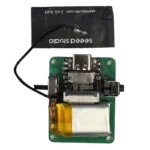
A wearable AI-powered pendant that records every meeting, automatically converts speech to text, generates a smart summary, and lets you ask anything about it — all from a device small enough to wear around your neck.

Apple Shopping Event

Hurry and get discounts on all Apple devices up to 20%

Sale_coupon_15

Original price was: ₹3,499.00.Current price is: ₹2,899.00.
(inc. GST)

0 days 00 hr 00 min 00 sc
13 People watching this product now!

Payment Methods:

Description

About AI Meeting Recorder Project

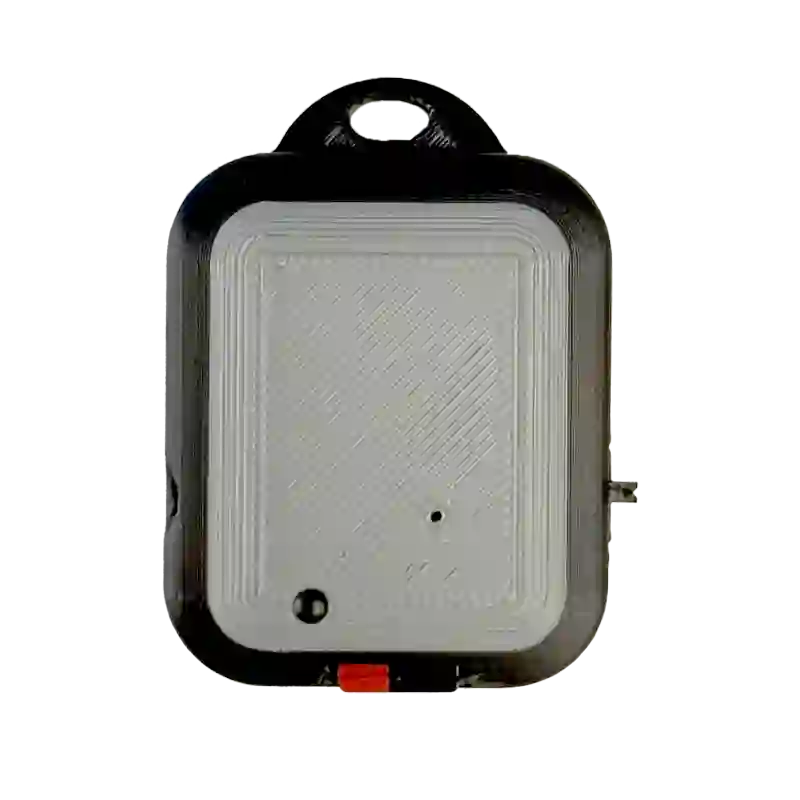
Inspired by the Episode from Shark Tank India Season 4, the AI Meeting Recorder is a compact, 3D-printed wearable device built around the XIAO ESP32-S3 Sense board. It records your meetings, sends the audio to the cloud, transcribes it using ElevenLabs, summarises it with OpenAI GPT, and stores everything on a MicroSD card.

Built from scratch by the techiesms team. No subscription. No app. Just press and record.

How It Works

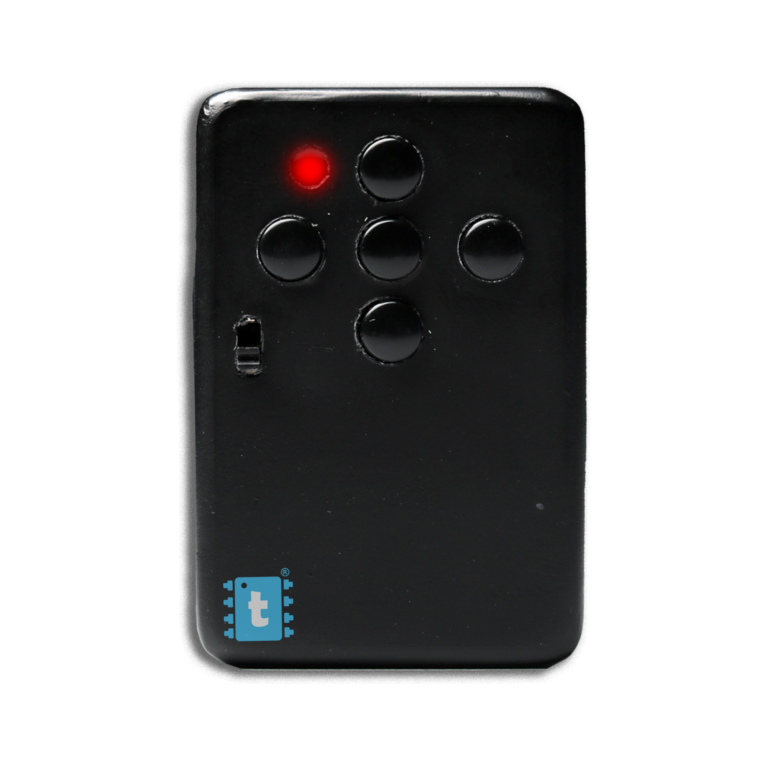
  1. 🎙️ Press to Record Hit the physical record button on the left side of the device. The orange Rec LED starts blinking confirming it’s capturing audio.
  2. 💾 Saved to SD Card Audio is stored locally on a MicroSD card in real time — no internet needed while recording.
  3. ✂️ Sent in 30-Second Chunks Thanks to the ESP32-S3’s dual-core processor, 15-second audio chunks are sent to the cloud in parallel while recording continues uninterrupted.
  4. 📝 Speech to Text ElevenLabs STT converts your audio to an accurate transcript — ultra-fast and reliable.
  5. 🤖 AI Summary Generated OpenAI GPT reads the full transcript and produces a clean, concise meeting summary automatically.
  6.  💬 Ask Anything Query your meeting like a chatbot — “What action items were discussed?” or “Who mentioned the deadline?” — and get instant answers.


Key Features

  • ⚡ Dual-Core Parallel Processing One core records, the other uploads — simultaneously. Even a 50-minute meeting is handled smoothly without any data loss.
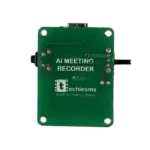
  • 📦 Ultra-Compact Wearable Design Fits in your palm. Wears like a pendant. The custom 3D-printed enclosure holds the PCB, battery, and all connectors in a neat, portable form factor.
  • 🔌 USB-C for Charging & Programming One cable does everything — charge the battery and flash new firmware using our browser-based one-click tool. No IDE or drivers required.
  • 💾 Local SD Card Backup Every recording is saved to a MicroSD card first. Even if WiFi drops mid-meeting, your audio is safe.
  • 🧠 Ask Your Meeting Anything The AI doesn’t just summarise — it remembers. After the meeting ends, ask it specific questions and get precise answers pulled from your transcript.
  • 🔴 Rec LED Indicator A dedicated recording LED lets you know at a glance that the device is actively capturing audio.

What’s in the Box

  • AI Meeting Recorder device (assembled & tested)
  • 3D-printed wearable pendant case
  • MicroSD card

Technical Specifications

Specification Details
Microcontroller Seeed XIAO ESP32-S3 Sense
Connectivity WiFi 802.11 b/g/n
Microphone Built-in digital microphone
Storage MicroSD card slot
Charging & Programming USB-C port
Controls On/Off switch + Record pushbutton
Recording Indicator Orange LED
PCB Custom designed, manufactured by NextPCB
Enclosure 3D-printed, wearable pendant
Speech-to-Text ElevenLabs API
AI Summary & Q&A OpenAI GPT
Firmware Flashing Browser-based, one-click (Chrome)

Watch It in Action

See how we built this from scratch, inspired by the Neosapiens pitch on Shark Tank India Season 4.


Perfect For

  • 📋 Business meetings and client calls
  • 🎓 Lectures and study sessions
  • 🧠 Brainstorming sessions you want to recall later
  • 🎙️ Interviews and podcasts
  • 📌 Any conversation worth remembering

Frequently Asked Questions

Do I need a subscription to use it? No. You bring your own ElevenLabs and OpenAI API keys during setup. OpenAI is Paid while ElevenLabs is Free

How long can it record? As long as your battery and SD card allow. We tested a 50-minute meeting without any issues.

Does it need internet while recording? No. Recording saves locally to the SD card. Internet is only needed when sending chunks for transcription.

How do I set it up? Connect via USB-C to Chrome browser, flash the firmware in one click, then configure your API keys. Full guide included.

Is it wearable? Yes! The 3D-printed case is designed as a pendant you can wear around your neck.


Built with ❤️ by techiesms 

Description

About AI Meeting Recorder Project

Inspired by the Episode from Shark Tank India Season 4, the AI Meeting Recorder is a compact, 3D-printed wearable device built around the XIAO ESP32-S3 Sense board. It records your meetings, sends the audio to the cloud, transcribes it using ElevenLabs, summarises it with OpenAI GPT, and stores everything on a MicroSD card.

Built from scratch by the techiesms team. No subscription. No app. Just press and record.

How It Works

  1. 🎙️ Press to Record Hit the physical record button on the left side of the device. The orange Rec LED starts blinking confirming it’s capturing audio.
  2. 💾 Saved to SD Card Audio is stored locally on a MicroSD card in real time — no internet needed while recording.
  3. ✂️ Sent in 30-Second Chunks Thanks to the ESP32-S3’s dual-core processor, 15-second audio chunks are sent to the cloud in parallel while recording continues uninterrupted.
  4. 📝 Speech to Text ElevenLabs STT converts your audio to an accurate transcript — ultra-fast and reliable.
  5. 🤖 AI Summary Generated OpenAI GPT reads the full transcript and produces a clean, concise meeting summary automatically.
  6.  💬 Ask Anything Query your meeting like a chatbot — “What action items were discussed?” or “Who mentioned the deadline?” — and get instant answers.


Key Features

  • ⚡ Dual-Core Parallel Processing One core records, the other uploads — simultaneously. Even a 50-minute meeting is handled smoothly without any data loss.
  • 📦 Ultra-Compact Wearable Design Fits in your palm. Wears like a pendant. The custom 3D-printed enclosure holds the PCB, battery, and all connectors in a neat, portable form factor.
  • 🔌 USB-C for Charging & Programming One cable does everything — charge the battery and flash new firmware using our browser-based one-click tool. No IDE or drivers required.
  • 💾 Local SD Card Backup Every recording is saved to a MicroSD card first. Even if WiFi drops mid-meeting, your audio is safe.
  • 🧠 Ask Your Meeting Anything The AI doesn’t just summarise — it remembers. After the meeting ends, ask it specific questions and get precise answers pulled from your transcript.
  • 🔴 Rec LED Indicator A dedicated recording LED lets you know at a glance that the device is actively capturing audio.

What’s in the Box

  • AI Meeting Recorder device (assembled & tested)
  • 3D-printed wearable pendant case
  • MicroSD card

Technical Specifications

Specification Details
Microcontroller Seeed XIAO ESP32-S3 Sense
Connectivity WiFi 802.11 b/g/n
Microphone Built-in digital microphone
Storage MicroSD card slot
Charging & Programming USB-C port
Controls On/Off switch + Record pushbutton
Recording Indicator Orange LED
PCB Custom designed, manufactured by NextPCB
Enclosure 3D-printed, wearable pendant
Speech-to-Text ElevenLabs API
AI Summary & Q&A OpenAI GPT
Firmware Flashing Browser-based, one-click (Chrome)

Watch It in Action

See how we built this from scratch, inspired by the Neosapiens pitch on Shark Tank India Season 4.


Perfect For

  • 📋 Business meetings and client calls
  • 🎓 Lectures and study sessions
  • 🧠 Brainstorming sessions you want to recall later
  • 🎙️ Interviews and podcasts
  • 📌 Any conversation worth remembering

Frequently Asked Questions

Do I need a subscription to use it? No. You bring your own ElevenLabs and OpenAI API keys during setup. OpenAI is Paid while ElevenLabs is Free

How long can it record? As long as your battery and SD card allow. We tested a 50-minute meeting without any issues.

Does it need internet while recording? No. Recording saves locally to the SD card. Internet is only needed when sending chunks for transcription.

How do I set it up? Connect via USB-C to Chrome browser, flash the firmware in one click, then configure your API keys. Full guide included.

Is it wearable? Yes! The 3D-printed case is designed as a pendant you can wear around your neck.


Built with ❤️ by techiesms 

Specification

Overview

Processor

Display

RAM

Storage

Video Card

Connectivity

Features

Battery

General

Customer Reviews

0 reviews
0
0
0
0
0

There are no reviews yet.

Be the first to review “AI Meeting Recorder Project”