
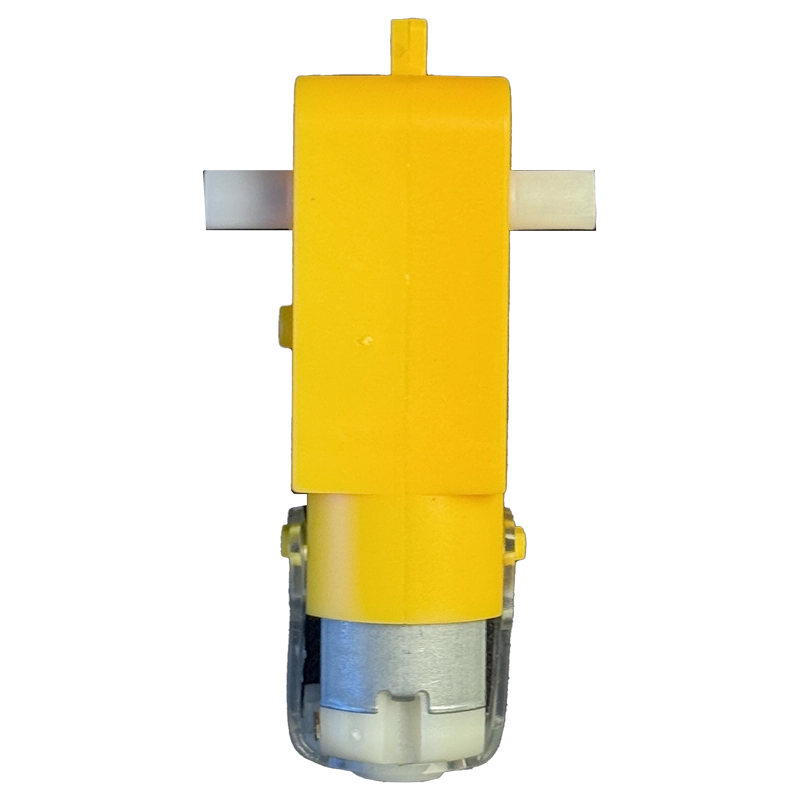
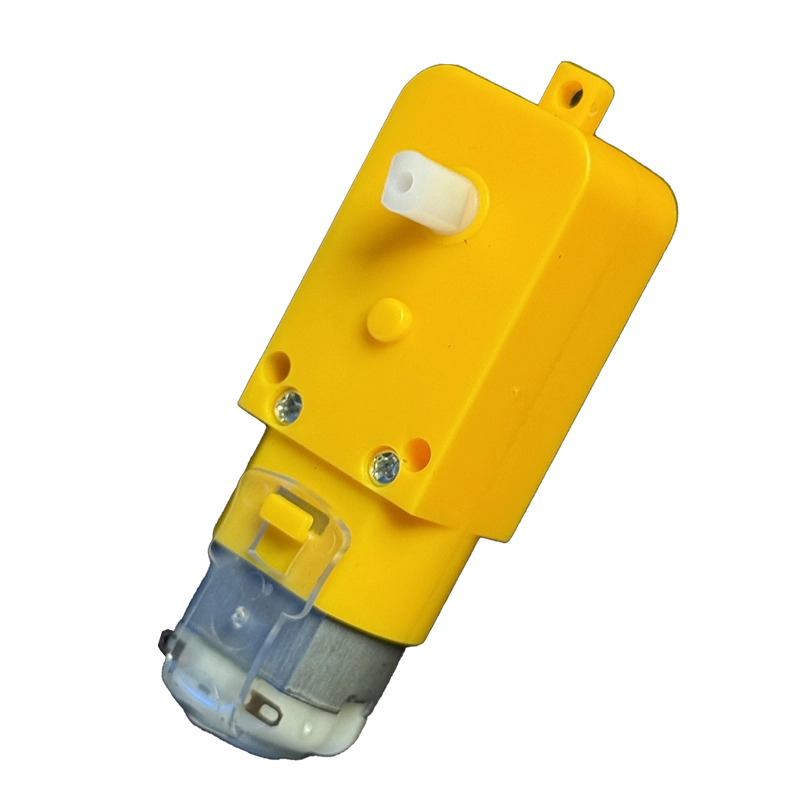
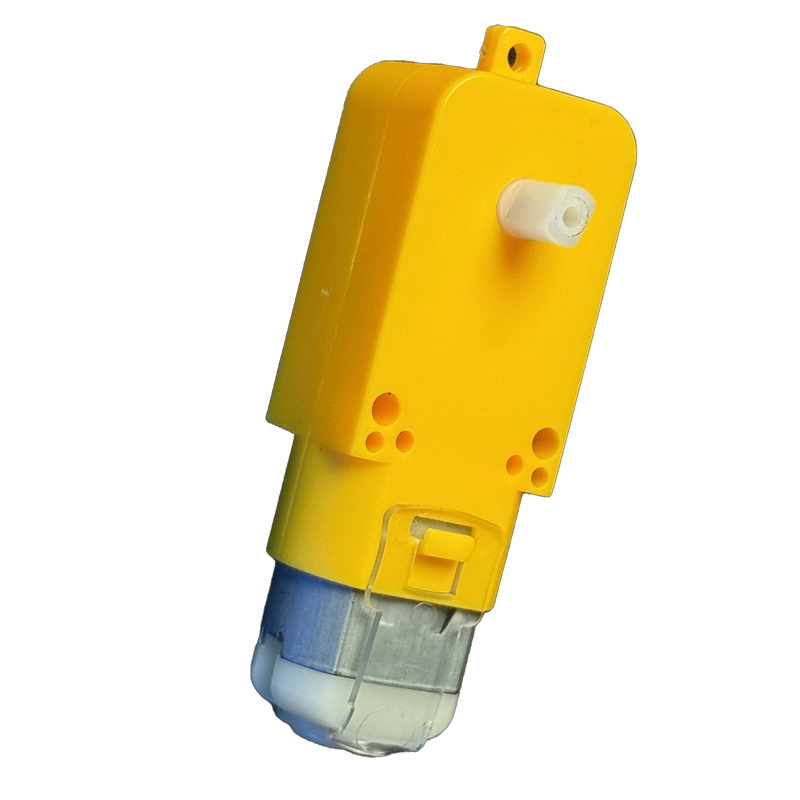
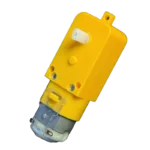
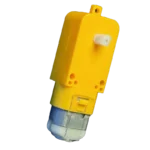

Dual Shaft BO Motor | 100 RPM

SKU: TEF4-003

Build your next robot car with this 100 RPM dual shaft BO motor. The straight plastic gearbox delivers steady torque from 3V to 12V, while the spare shaft takes an encoder disc or second wheel. A go-to motor for students and makers across India.

✅ 100 RPM output with ~0.35 kg-cm torque
✅ Wide 3V–12V DC operating range
✅ Dual shaft for wheel plus encoder or pulley
✅ Works with Arduino, ESP32 and any L298N driver
✅ Best price in India — only at techiesms

Apple Shopping Event

Hurry and get discounts on all Apple devices up to 20%

Sale_coupon_15

₹55.00
(inc. GST)

0 People watching this product now!

Payment Methods:

Description

Dual shaft BO motor modules are the quickest way to get a robot rolling, and this 100 RPM straight-gearbox version hits the sweet spot between speed and pulling power. Light, easy to mount and happy on a small battery pack, it is the go-to motor for a first robot car or college project.

Technical Specifications

Key figures for this dual shaft BO motor, cross-checked across multiple manufacturer listings:

ParameterValue
Motor TypeBrushed DC geared motor (BO series)
GearboxStraight, plastic gears
ShaftDual shaft (output on both sides)
Rated Speed100 RPM (at 12V, no load)
Operating Voltage3V – 12V DC
No-Load Current40 – 180 mA
Rated TorqueApprox. 0.35 kg-cm
WeightApprox. 30 g
ColourYellow
MountingThrough-holes moulded into the gearbox body

What Makes It Stand Out

The second shaft is the real win. One side drives your wheel while the other takes a slotted encoder disc, a second wheel or a small pulley, handy when a rover needs speed feedback to drive straight. Moulded mounting holes let it bolt onto most acrylic chassis without extra brackets.

The plastic gearbox keeps it light and quiet and shrugs off wall crashes. Being a two-wire DC motor, it runs through an H-bridge, and the L298 motor driver datasheet covers current limits and pinout for the most common driver pairing.

On the software side, the L298N Arduino library on GitHub sets speed and direction for two motors in a few lines, perfect for a two-wheel dual shaft BO motor build.

Why Makers Choose This

At 100 RPM, a dual shaft BO motor moves a robot slowly enough for sensors to react, yet fast enough to feel lively. Line followers and obstacle avoiders behave far more predictably than with 150 or 300 RPM variants.

It works with Arduino, ESP32, ESP8266, Raspberry Pi Pico and STM32 through any standard motor driver. New to motors? This ESP32 DC motor speed and direction tutorial covers wiring and PWM control step by step. Grab a pair at the best price in India from techiesms and start building.

Important Links

🔗 L298 Motor Driver Datasheet (PDF) — specs for the recommended driver chip

🔗 Motor Driver Wiring Diagram — motor-to-L298N wiring schematics

🔗 ESP32 DC Motor Tutorial — speed and direction control guide

🔗 ESP32 Wi-Fi Robot Car Project — complete two-motor car build

🔗 L298N Arduino Library — drive one or two DC motors

Best Used For

The classic build is a 2WD robot car with two motors, a caster wheel and an L298N driver. Add IR sensors for a competition line follower, or an ultrasonic sensor for an obstacle-avoiding robot. An ESP32 or HC-05 module turns the same platform into a Wi-Fi or Bluetooth car. An encoder disc on the spare shaft enables closed-loop speed control, and exhibition models like mini conveyors are easy wins too.

Frequently Asked Questions

Q: Can I connect this motor directly to an Arduino pin?

No. A dual shaft BO motor draws more current than a GPIO pin can safely supply, so always use a motor driver such as the L298N, L293D or TB6612FNG.

Q: What voltage should I run it at?

Any dual shaft BO motor in this series runs from 3V to 12V. Speed scales with voltage, reaching the full 100 RPM near 12V; 6V to 9V is a comfortable everyday range.

Q: What is the second shaft used for?

The extra shaft on a dual shaft BO motor can hold an encoder disc for speed sensing, a second wheel, or a pulley for a secondary mechanism.

<str

Description

Dual shaft BO motor modules are the quickest way to get a robot rolling, and this 100 RPM straight-gearbox version hits the sweet spot between speed and pulling power. Light, easy to mount and happy on a small battery pack, it is the go-to motor for a first robot car or college project.

Technical Specifications

Key figures for this dual shaft BO motor, cross-checked across multiple manufacturer listings:

ParameterValue
Motor TypeBrushed DC geared motor (BO series)
GearboxStraight, plastic gears
ShaftDual shaft (output on both sides)
Rated Speed100 RPM (at 12V, no load)
Operating Voltage3V – 12V DC
No-Load Current40 – 180 mA
Rated TorqueApprox. 0.35 kg-cm
WeightApprox. 30 g
ColourYellow
MountingThrough-holes moulded into the gearbox body

What Makes It Stand Out

The second shaft is the real win. One side drives your wheel while the other takes a slotted encoder disc, a second wheel or a small pulley, handy when a rover needs speed feedback to drive straight. Moulded mounting holes let it bolt onto most acrylic chassis without extra brackets.

The plastic gearbox keeps it light and quiet and shrugs off wall crashes. Being a two-wire DC motor, it runs through an H-bridge, and the L298 motor driver datasheet covers current limits and pinout for the most common driver pairing.

On the software side, the L298N Arduino library on GitHub sets speed and direction for two motors in a few lines, perfect for a two-wheel dual shaft BO motor build.

Why Makers Choose This

At 100 RPM, a dual shaft BO motor moves a robot slowly enough for sensors to react, yet fast enough to feel lively. Line followers and obstacle avoiders behave far more predictably than with 150 or 300 RPM variants.

It works with Arduino, ESP32, ESP8266, Raspberry Pi Pico and STM32 through any standard motor driver. New to motors? This ESP32 DC motor speed and direction tutorial covers wiring and PWM control step by step. Grab a pair at the best price in India from techiesms and start building.

Important Links

🔗 L298 Motor Driver Datasheet (PDF) — specs for the recommended driver chip

🔗 Motor Driver Wiring Diagram — motor-to-L298N wiring schematics

🔗 ESP32 DC Motor Tutorial — speed and direction control guide

🔗 ESP32 Wi-Fi Robot Car Project — complete two-motor car build

🔗 L298N Arduino Library — drive one or two DC motors

Best Used For

The classic build is a 2WD robot car with two motors, a caster wheel and an L298N driver. Add IR sensors for a competition line follower, or an ultrasonic sensor for an obstacle-avoiding robot. An ESP32 or HC-05 module turns the same platform into a Wi-Fi or Bluetooth car. An encoder disc on the spare shaft enables closed-loop speed control, and exhibition models like mini conveyors are easy wins too.

Frequently Asked Questions

Q: Can I connect this motor directly to an Arduino pin?

No. A dual shaft BO motor draws more current than a GPIO pin can safely supply, so always use a motor driver such as the L298N, L293D or TB6612FNG.

Q: What voltage should I run it at?

Any dual shaft BO motor in this series runs from 3V to 12V. Speed scales with voltage, reaching the full 100 RPM near 12V; 6V to 9V is a comfortable everyday range.

Q: What is the second shaft used for?

The extra shaft on a dual shaft BO motor can hold an encoder disc for speed sensing, a second wheel, or a pulley for a secondary mechanism.

<str

Specification

Overview

Weight0.03 kg
Dimensions15 × 15 × 5 cm

Processor

Weight0.03 kg
Dimensions15 × 15 × 5 cm

Display

Weight0.03 kg
Dimensions15 × 15 × 5 cm

RAM

Weight0.03 kg
Dimensions15 × 15 × 5 cm

Storage

Weight0.03 kg
Dimensions15 × 15 × 5 cm

Video Card

Weight0.03 kg
Dimensions15 × 15 × 5 cm

Connectivity

Weight0.03 kg
Dimensions15 × 15 × 5 cm

Features

Weight0.03 kg
Dimensions15 × 15 × 5 cm

Battery

Weight0.03 kg
Dimensions15 × 15 × 5 cm

General

Weight0.03 kg
Dimensions15 × 15 × 5 cm

Customer Reviews

0 reviews
0
0
0
0
0

There are no reviews yet.

Be the first to review “Dual Shaft BO Motor | 100 RPM”